Circuit IQ
Join two matching tiles with a line that turns no more than twice.
Two games under one rule · twelve rationed powers · a board a day · a hundred badges each · iPhone & iPad
Coming soon to the App StoreWhat it is
Two tiles go together when they match and a line can be drawn between them that turns no more than twice, over empty cells only. That rule came out of a Japanese arcade cabinet in 1989 and has been passed from hand to hand ever since. Circuit IQ is the rule rebuilt, and it is now two games in one app, a switch apart: Colour, where a tile is a colour and a mark, and IQ, where every tile is a figure and a key under the board says what a pair is today.
The line matters more than the pair. A pair sitting in plain sight is often unreachable, while two tiles at opposite corners join easily by going the long way round — on most levels the empty border is part of the board, and a route may leave the tiles, travel round the outside and come back in.
Two games
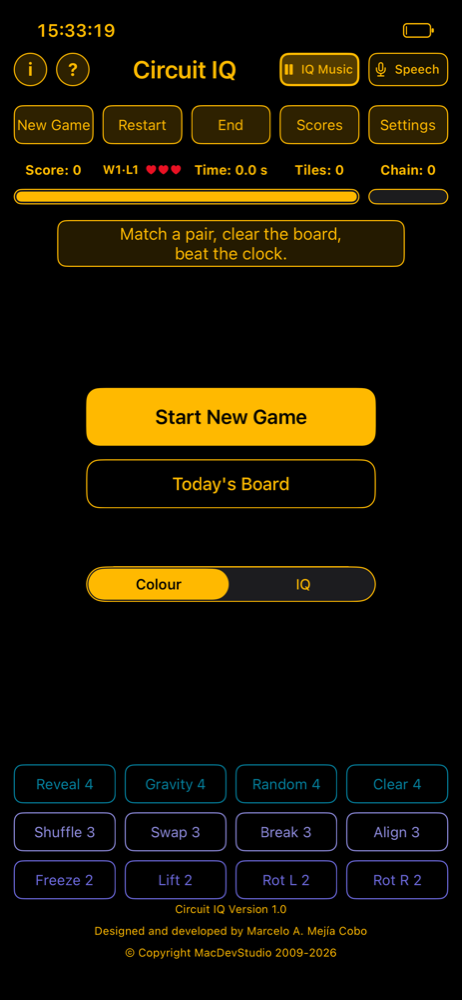
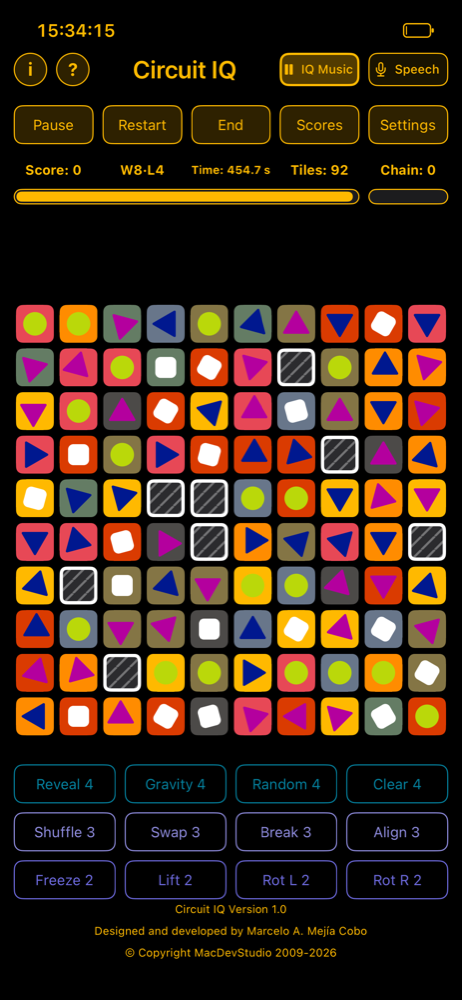
Colour
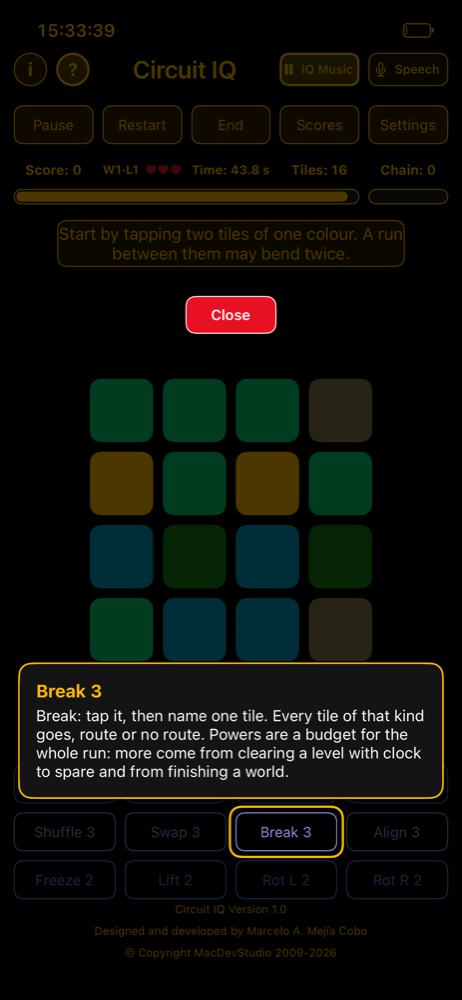
Tiles carry a colour and a mark, and a pair has to agree on both. Thirty-two boards across eight worlds, each with its own idea: plain, blocks, gravity, slide, columns collapsing toward the middle, rows splitting apart, shear. Dark and amber.
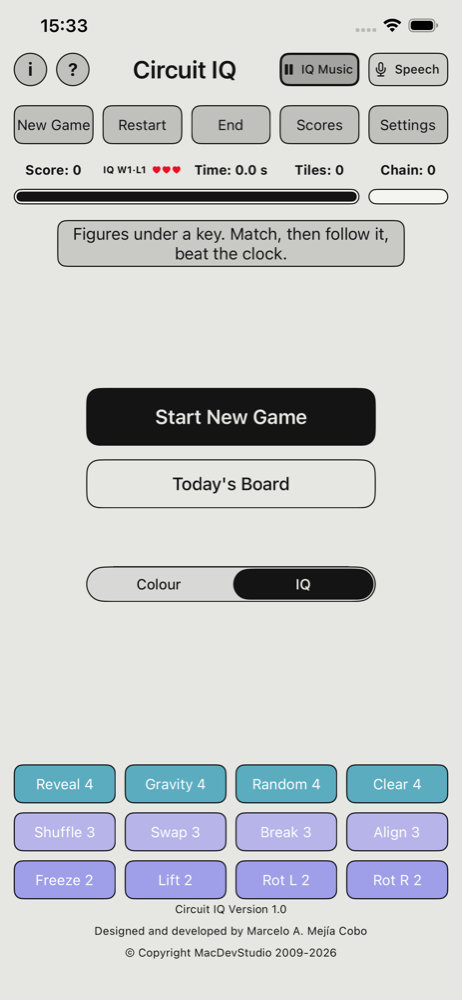
IQ
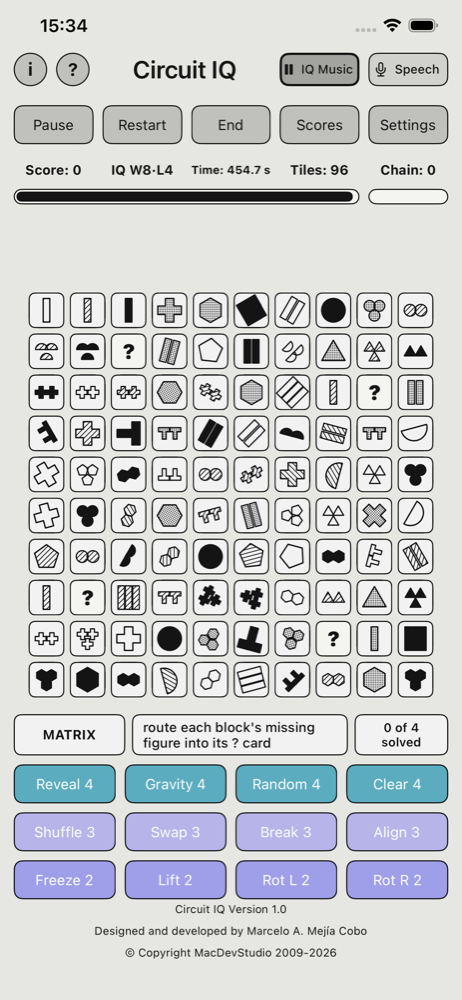
Same rule, different tiles. Every tile is a figure — one of sixteen shapes, one of five fills, up to three side by side — and under the board sits the key, which says what "match" means on this board. It changes every four levels: Match, Cue, Code, Trail, Steps, Sum, Matrix. From the third world some figures are turned; from the fifth, pairs of tiles quietly change places while you look. More to hold in mind, so it is the harder game. Light, like a sheet of paper.
It is a score, never a test. Nothing here measures anything about you; it is a puzzle about reading a rule and applying it fast.
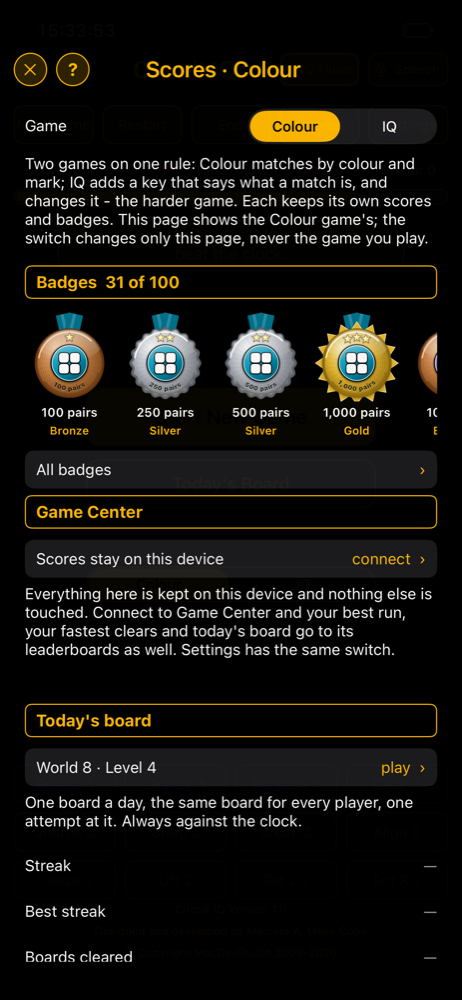
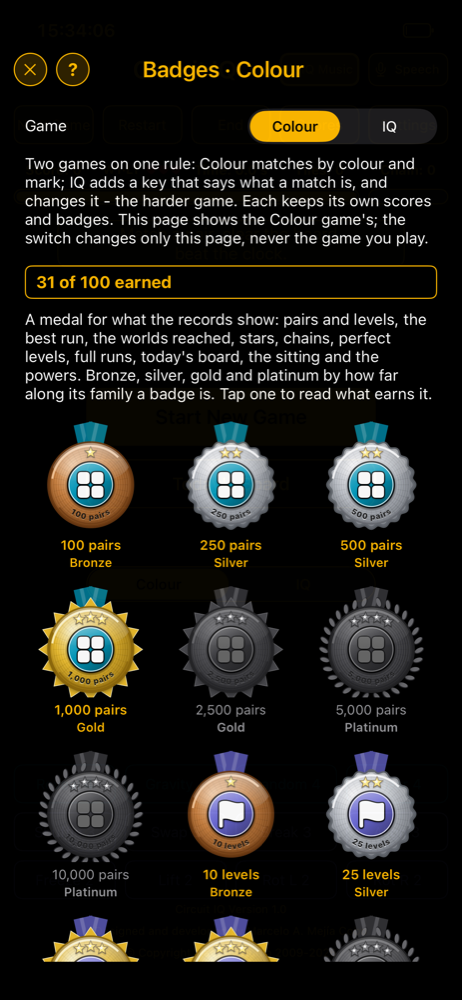
Each game keeps its own scores, its own board of the day and its own hundred badges. The switch on the opening panel chooses the next run; the switches on the Scores and Badges pages only change which game's records you are looking at.
Screenshots
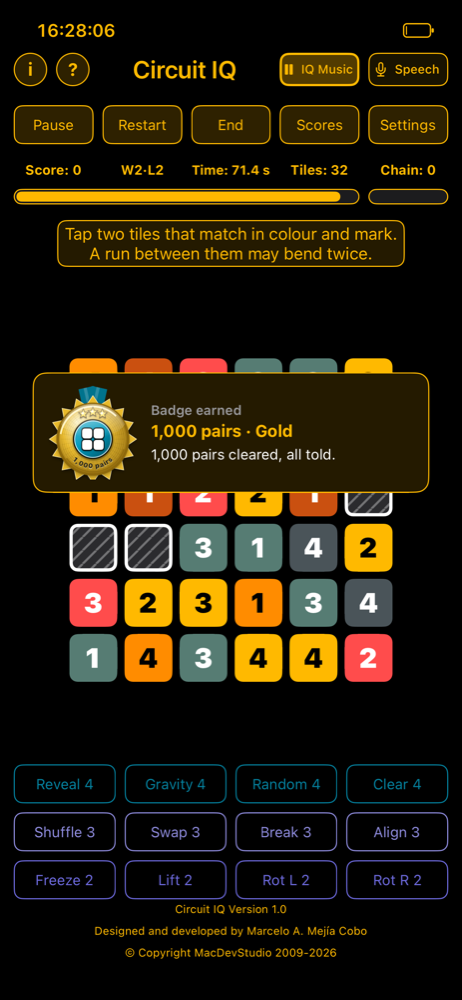
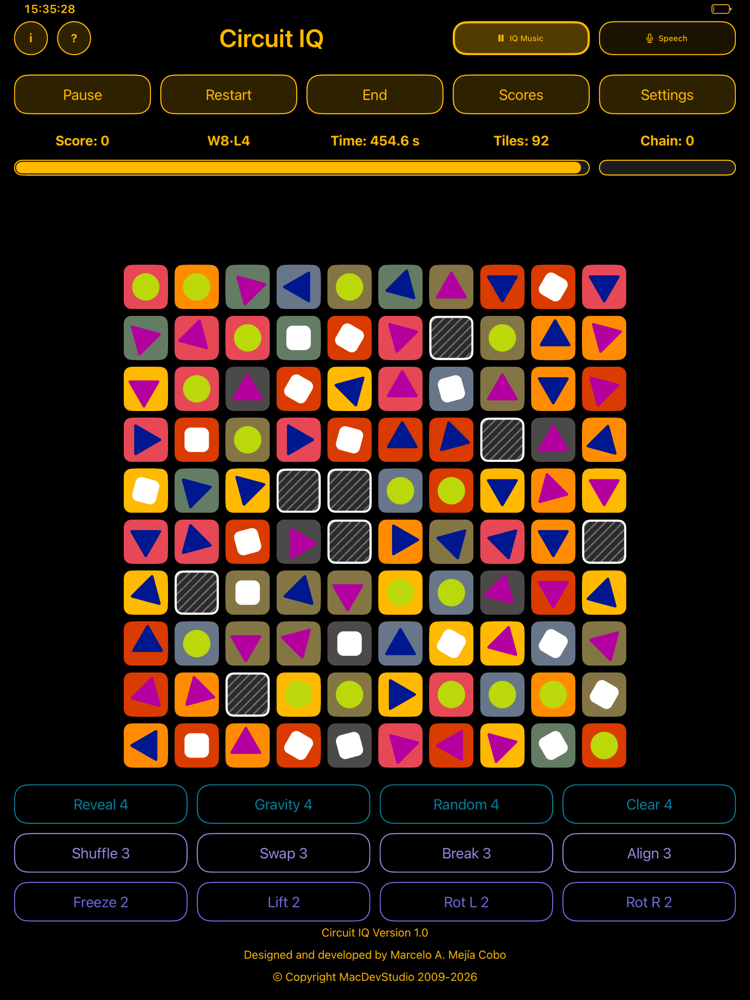
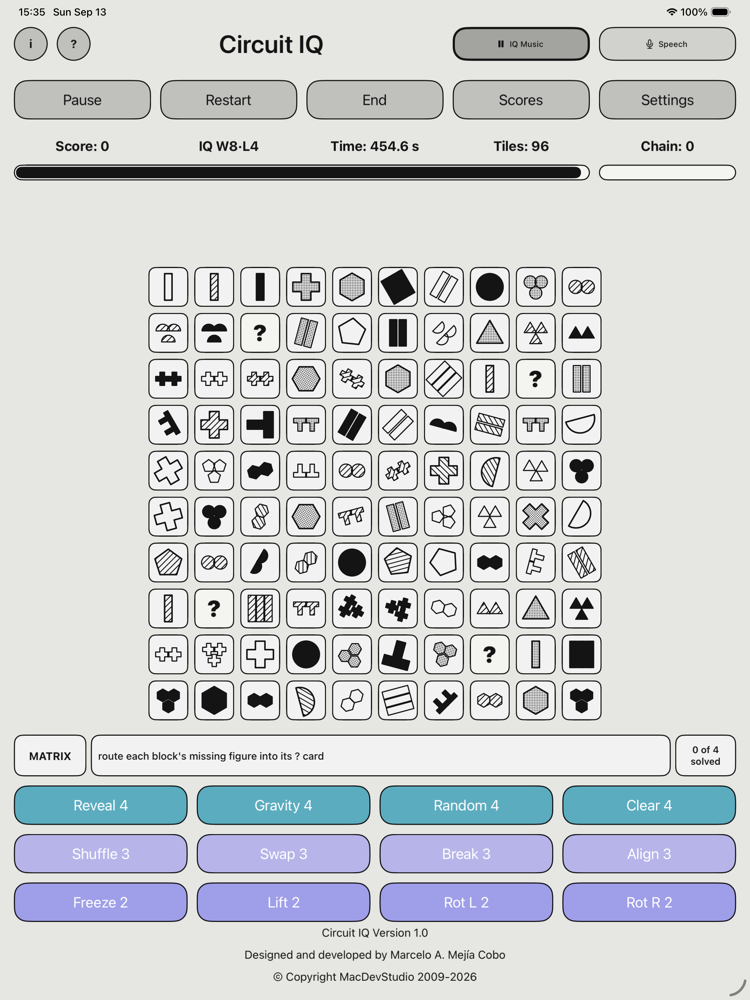
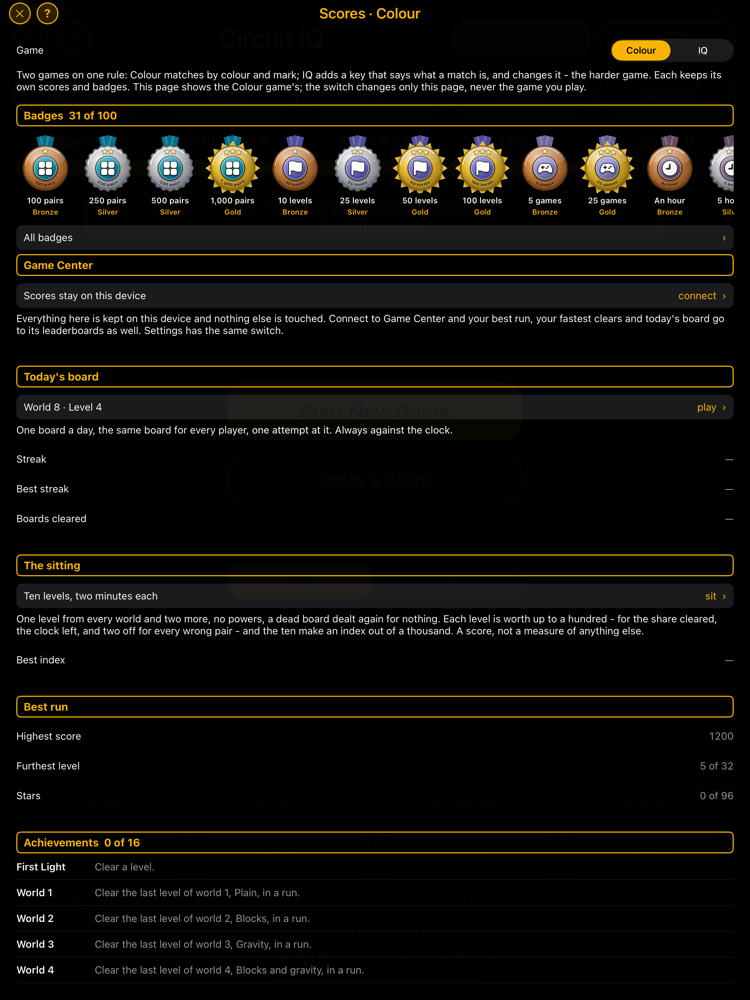
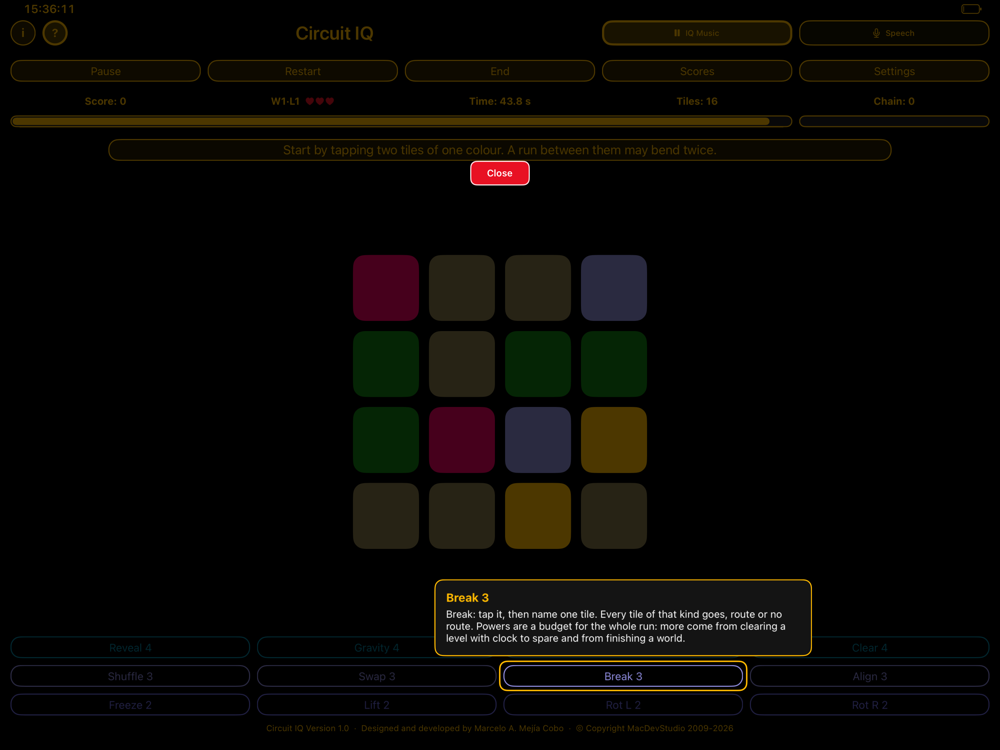
The colour worlds
Each world plays the same four board sizes, and each adds something the one before it did not have — a rule to play around, and a mark to read. Even worlds carry blocks; from world three on the board settles after every clear, and every world settles differently.
| 1 · colour | Plain. Nothing in the way, and nothing on the tiles: match on colour alone, from twice the usual number of them. |
| 2 · 1 2 3 4 | Blocks. Dark squares that never match and never move, a pair more of them each level. |
| 3 · A B C D | Gravity. Clear a pair and everything above it drops into the gap. |
| 4 · shapes | Blocks and gravity together, and the marks turn to shapes. |
| 5 · colour | Slide. Everything slides left into the gap, and the tiles are bare again. |
| 6 · 1 2 3 4 | Blocks, and Centre: each column collapses toward the middle from both ends. |
| 7 · A B C D | Split. Each row pulls apart from the middle, out toward both sides. |
| 8 · shapes | Blocks, and Shear: rows above the middle slide left, rows below slide right. |
The IQ worlds
Eight worlds, and a different key for each. The strip under the board names it and says, in a few words, what a pair is.
| 1 · Match | Two identical figures. No key yet. |
| 2 · Cue | Two figures that share the named thing — shape, fill or count — and the rule changes after a set number of pairs, never repeating on a board. |
| 3 · Code | A digit and the figure the table gives it. The last level redeals the table halfway. |
| 4 · Trail | Not a pair: one tile at a time, in the key's order, each reached by a route from the last one cleared. |
| 5 · Steps | A figure and its neighbour one step up the scale: the next fill, then the next shape. |
| 6 · Trail B | The trail again, alternating digits and figures. |
| 7 · Sum | Two figures of one shape whose counts add to the key's target. Fills do not matter. |
| 8 · Matrix | Clear the field as pairs; then pick up the missing figure of each three-by-three block and route it into the ? card. |
Features
Twelve powers, rationed
Reveal a pair, shuffle, take any pair by hand, tilt the phone and watch the tiles fall that way, break every tile of one kind, freeze the clock, turn the settling over, take a pair at random, rotate the board a quarter turn either way, stand every turned figure upright, or swap two tiles. A budget for the whole run — not an allowance each level. More come from clearing a level with time to spare and from finishing a world.
One board a day, twice
The date names a level of each game and deals it, so it is the same board for every player everywhere. One attempt at each. Clear it on consecutive days and the streak builds, separately for Colour and for IQ.
The Sitting
Ten boards, two minutes each, no powers, one after the other, and an index out of a thousand at the end: completion, speed, and every wrong pair counted against you. A game score, and nothing more.
A hundred badges each
Medals from bronze to platinum, earned from your own records: pairs and levels, the best run, the worlds reached, stars, chains, perfect levels, full runs, today's board, the sitting, the powers. Scores shows the strip; the Badges page shows all hundred with what earns each.
Chains, stars, lives
Pairs found within three seconds of each other chain, each link worth more than the last. Every level cleared earns one to three stars. A run has three lives: running out of time costs one and offers the level again; finishing a world gives one back.
Say it
Switch on the microphone and a key appears along the board's edge: numbers over the columns, letters down the side. Say "B3 E7" and the pair is tried; say "Reveal" and the power is spent. Everything is recognised on the phone itself; nothing you say goes anywhere.
Keyboard and controller
A hardware keyboard or any game controller drives every screen — the arrows or WASD, a D-pad or stick, Return or A to act, Escape or B to go back. The Xbox Adaptive Controller included.
Not sure what a button does?
Tap the ? beside the i, then tap anything and it explains itself: a button, a readout, a power, a tile, a card of the key. Every panel has a ? of its own. The field guide behind the i is the whole game with pictures.
Music of its own
Thirteen tracks to pick and order, step through with the buttons beside IQ Music, or keep soft. If your own music is playing when the app opens, it stays yours until you press play.
Game Center, or not
Sign in and your best run, every level and today's board go to leaderboards, with sixteen achievements. Or play as a guest and keep it all on the device — the choice is one switch in Settings.
Relaxed, if you like
Turn the clock off entirely and a level ends only when the board is clear. Every world, block, key and settling rule still applies.
It waits for you
Close the app in the middle of a level and the run is kept — the board as you left it, your score, your lives and your remaining powers. iPhone and iPad, either way up.
Support
Questions or problems? Write to us:
Helpful things to include: your device model, your iOS version, which game (Colour or IQ), world and level you were on, and what you were doing when the problem appeared. There are no accounts and no server — everything lives in the app on your device — so a description is usually all we have to go on.
- A pair that will not clear is almost always two tiles that differ in one thing you did not notice. From world two on, both the colour and the mark have to agree. In IQ, the key under the board says what has to agree; on a Cue board it changes after a set number of pairs.
- Nothing can be joined: a banner says so. Nothing rescues you automatically — spend Shuffle, Random, Clear or either rotation.
- Out of time: the level ends, not the run. You are offered the same level again, dealt fresh, on whatever you have left.
- Not sure what a button does? Tap the ? beside the i, then tap anything on the board. The whole game, with pictures, is in the field guide, also behind the i in the app.
- Turn the clock off: Settings → Relaxed, from the next new game.
- Speech control needs the microphone and speech permissions; if either was refused, the Settings app → Circuit IQ turns them back on. It is only offered on devices that can recognise speech on the device itself.
- Music: the IQ Music button plays and pauses the game's own tracks and holds them for the Tracks page; the two small buttons beside it step back and forward. The game never plays music from your library.
- Start over completely: Scores → Clear all scores wipes every record of both games, including both daily streaks and every badge.
Privacy Policy
Last updated 13 September 2026 — Circuit IQ for iOS.
Circuit IQ collects no data whatsoever.
- Your settings, your best scores and times, your badges, your daily streaks and the run you are in the middle of are stored only on your device, using Apple's standard app storage. They never leave your device.
- The app makes no network requests of its own. Today's board is not fetched from anywhere — it is worked out from the date on your device, which is why every player gets the same one without anything being sent or received. Badges are worked out from your own records, on the device.
- Speech control, when you switch it on, listens through the microphone for the names of tiles and powers. The speech is recognised on the device itself, by Apple's on-device recogniser; nothing you say is recorded, stored or sent anywhere, and the microphone is off whenever the switch is. On a device that cannot recognise speech on its own, speech control is simply not offered.
- The game's music is its own, bundled with the app. It does not read your music library and asks for no access to it.
- Game Center is optional. If you sign in, Apple receives your scores and achievements under your Game Center identity, as described in Apple's own privacy policy; we receive nothing. Play as a guest and every record stays on the device.
- No accounts of our own, no advertising, no analytics, no tracking, no third-party code, and nothing to buy. The app does not request the advertising identifier.
- Because nothing is collected, nothing is collected from children.
- Deleting the app deletes everything it stored.
If this policy ever changes, the change will be described here before an updated app is released.
Contact: support@macdevstudio.com