A music player built around one question: what should play after this song?
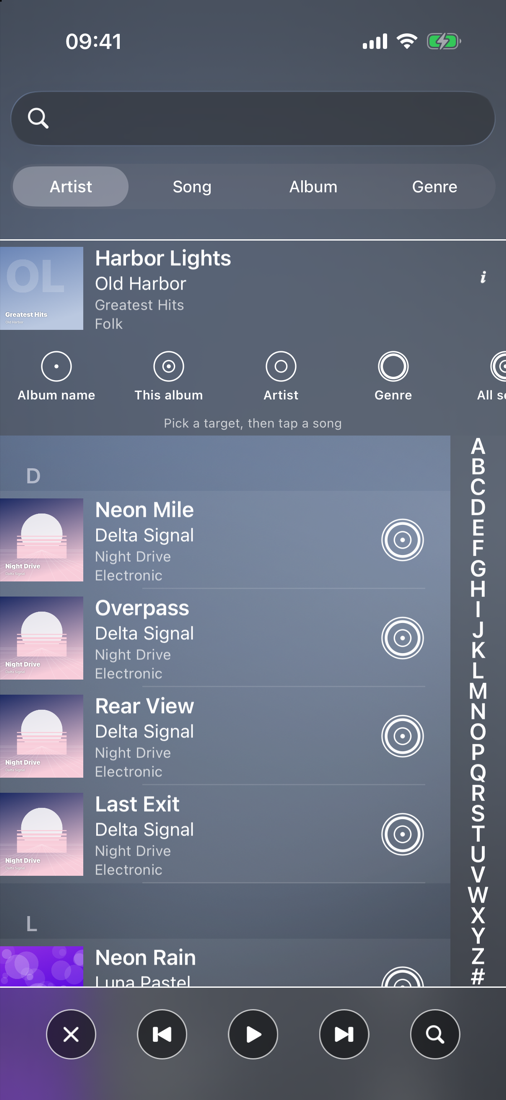
Pick a target and the queue becomes every song in your library that matches the playing song on
that property — the same artist, this album, every album with this name, the genre, the decade,
the tempo, your Liked list, a playlist it is in, or the whole library from here.
The song carries on from where it is. Shuffle and repeat stay as you left them. The target in
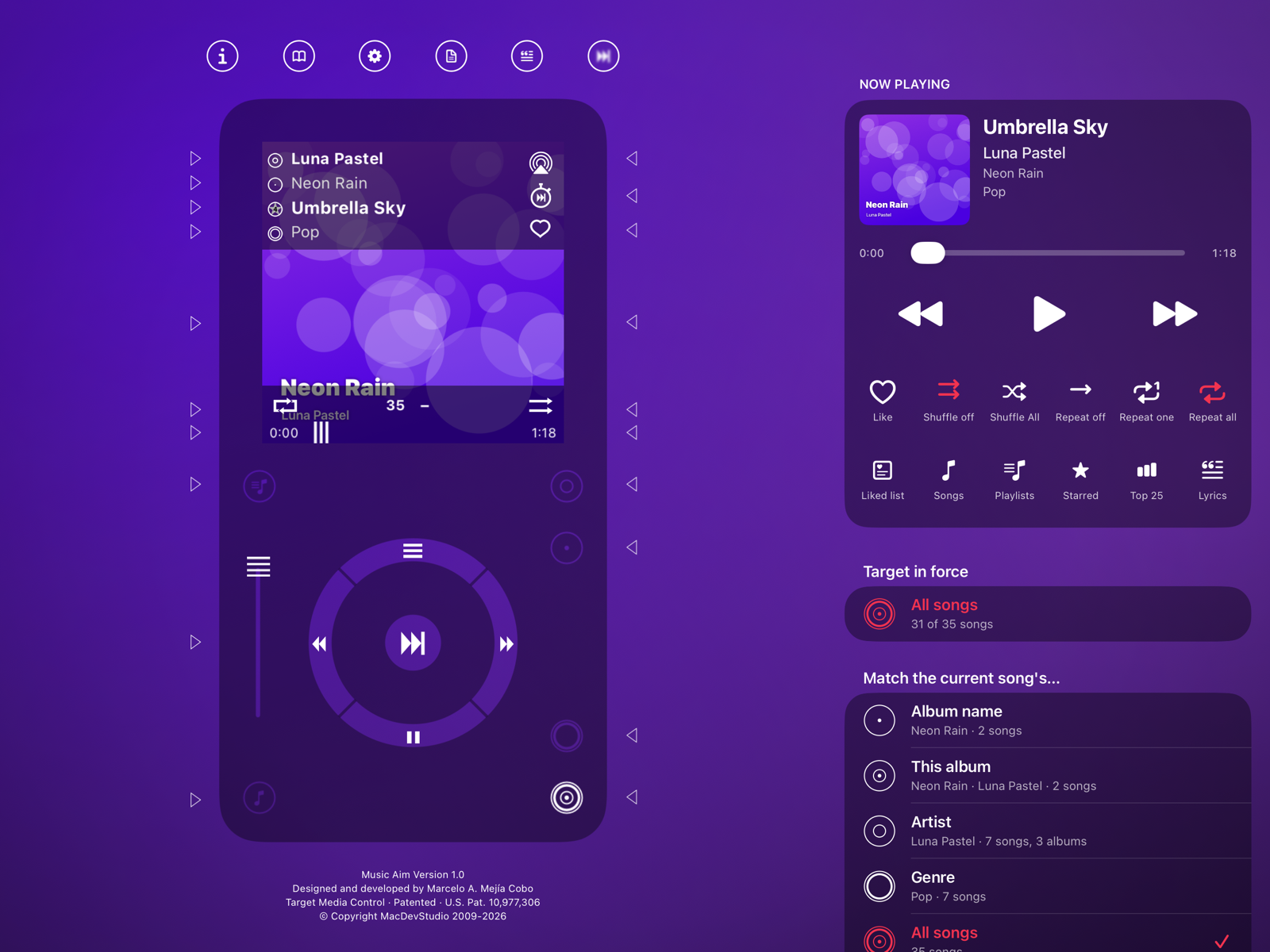
force is shown everywhere: on the player, in Now Playing, in the artwork view, in the car, on the
Lock Screen and on your wrist.
The story
Every music player still carries the same controls. Play, pause, stop, rewind and fast
forward were born on the tape recorders of the 1960s; previous and next, shuffle and repeat
came with the CD player in the 1980s. None of them chooses what comes next from what is
playing now.
The first proof of concept, called “t Music”, was designed and developed in 2010 by
Marcelo A. Mejía Cobo: a wheel with target buttons around it — the album, the artist, the
genre, the whole library — each one queueing the songs that share that property with the
song that is playing. A twelfth media control.
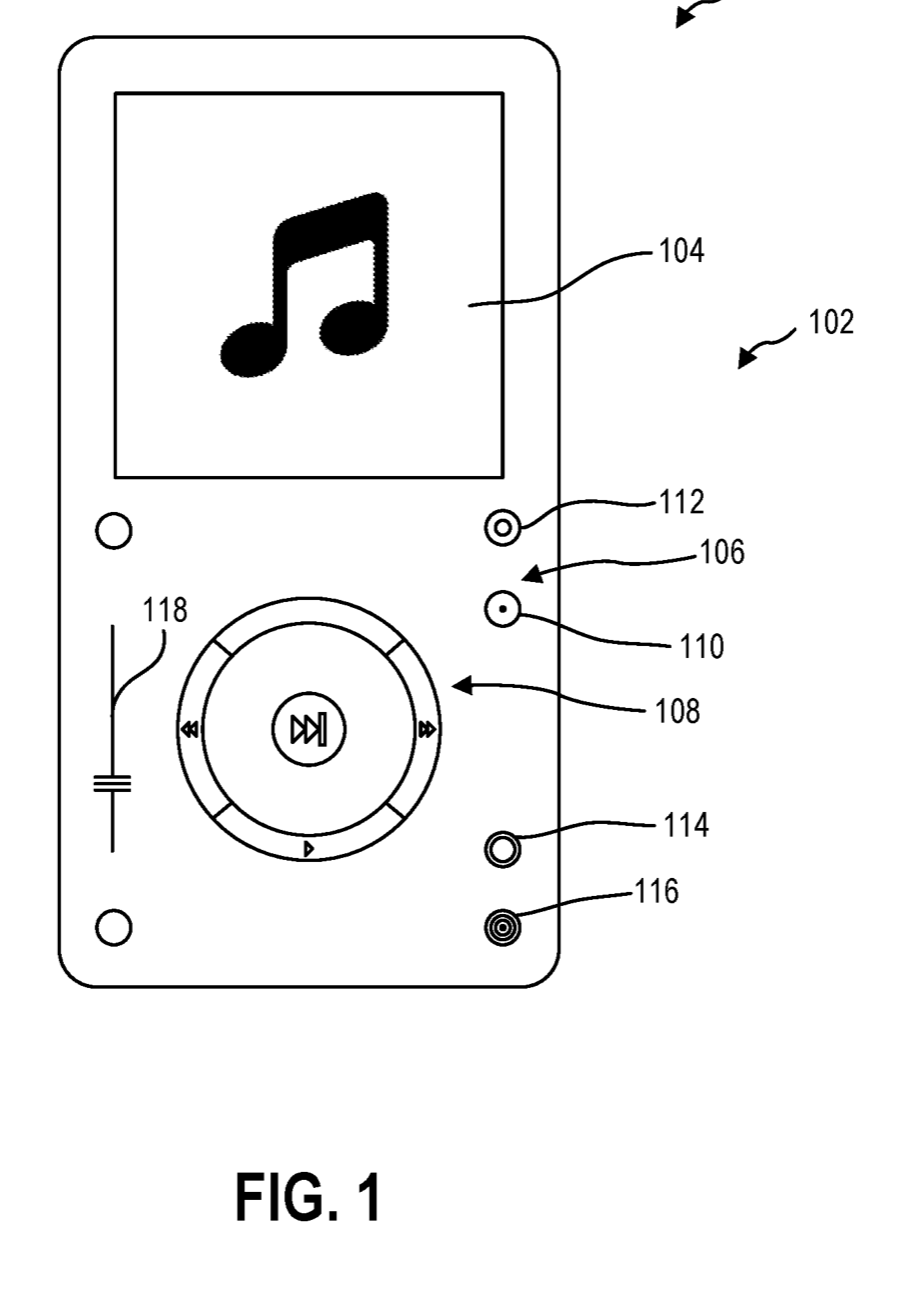
He filed the idea as a patent in January 2019. Systems and methods of playing media
files, US 10,977,306, was granted on 13 April 2021. Its first drawing is the player
Music Aim opens on today.
In 2026 the app was rebuilt for today's iPhone, iPad, iPhone Duo, CarPlay and Apple Watch,
and named Music Aim. The targets grew to cover all the metadata a song carries, and they
still do one thing: aim your music.
2010“t Music”, the proof of concept on the iPhone 4: the wheel and four target buttons
10 Jan 2019Patent application filed (No. 16/244,968)
16 Jul 2020Application published, US 2020/0226177
13 Apr 2021US 10,977,306 granted: 20 claims
2026Rebuilt and renamed Music Aim: iPhone, iPad, iPhone Duo, CarPlay, Apple Watch
US 10,977,306, FIG. 1
The twelfth control
Play, pause, stop and the fast runs emerged across 1960s tape-recorder makers; skipping,
shuffle and repeat came with the CD player in the 1980s. The play triangle shows
the direction the tape travels; Pause is reported to be an Ampex “stutter stop”, a split Stop
square, invented because the word translated badly for export. They are registered in one joint
IEC 60417 / ISO 7000 database of some 1,400 symbols; on-screen controls have their own
standard, ISO/IEC 18035. Target joins them as the twelfth.
Function
IEC 60417 / ISO 7000
Official title
Unicode
▶︎
Play
5107A/B
Normal run; normal speed
U+23F5 (7.0)
⏸︎
Pause
5111A/B
Pause; interruption
U+23F8 (7.0)
⏹︎
Stop
5110A/B
Stop
U+23F9 (7.0)
⏪︎
Rewind
5108 mirrored
Fast run; fast speed
U+23EA (6.0)
⏩︎
Fast forward
5108A/B
Fast run; fast speed
U+23E9 (6.0)
⏮︎
Previous
5862
Previous; to play previous part
U+23EE (6.0)
⏭︎
Next
5861
Next; to play next part
U+23ED (6.0)
⏺︎
Record
5547
Recording, general
U+23FA (7.0)
⏏︎
Eject
5459
Eject
U+23CF (4.0)
🔀︎
Shuffle
never registered
—
U+1F500 (6.0)
🔁︎
Repeat
5557
Auto reverse continuously
U+1F501 (6.0)
◎︎
Target
proposed
To identify the control that selects media related to the current item
none yet
Unicode has bullseye characters (◎ U+25CE BULLSEYE, ◉ U+25C9 FISHEYE, ⌖ U+2316 POSITION
INDICATOR) but none carries a media meaning, and the platforms' own target symbols mean focus, aim
or location. The space for a playback bullseye is open.
Towards a standard
We would like Target to become what play and pause are: a symbol every player understands. The
path is the one those symbols took — ship it, publish the symbol's specification with open artwork,
see other players adopt it, then propose it to IEC 60417 and, last, to Unicode, which encodes a
symbol only once it is in wide use.
Not only music
Target works on any media: it re-queues from the metadata of what is playing now, whatever that
metadata is. Over photos it would be the people, the place, the date or the camera; over podcasts the
show, the host or the topic; over video the director, the cast or the series; over books the author,
the series or the narrator.
One idea, everywhere
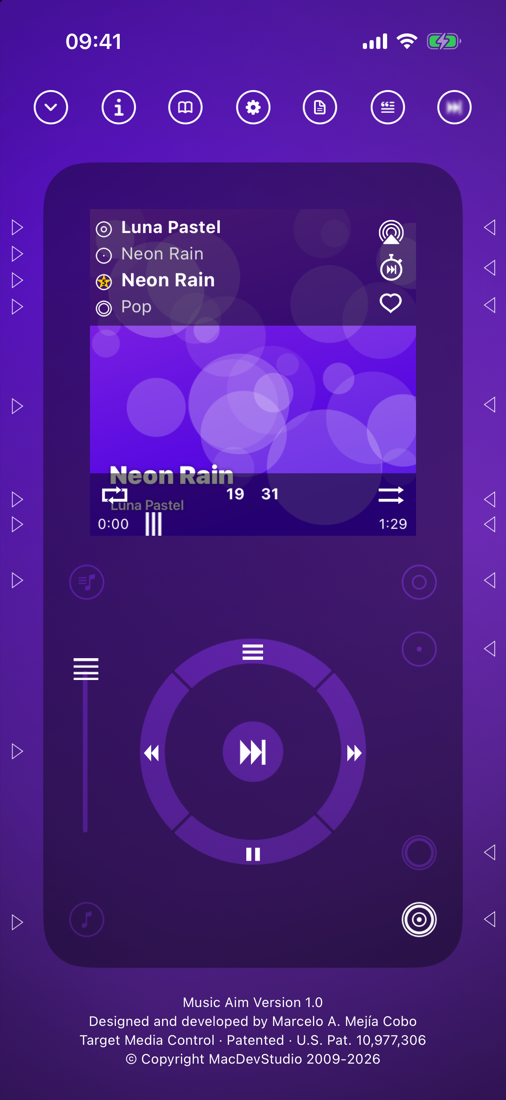
The player
A wheel and a ring of target buttons around it, in six skins drawn by the app, over the
background of your choice — including one in the colours of the cover that is playing.
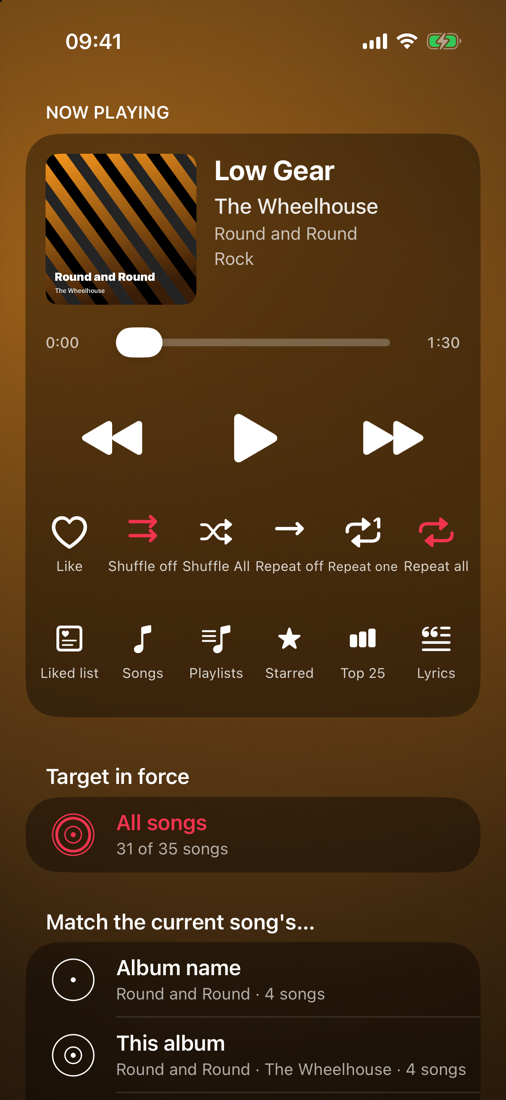
Now Playing
The cover, the timeline, the transport, Like, shuffle and repeat, then every target as a row
with what it would play and how many songs that is. Tap a row to target it.
Beyond the phone
CarPlay with big target tiles, widgets in every size, a Live Activity with targets in the
Dynamic Island, Siri (“Aim the artist”) and an Apple Watch target pad.
Screenshots
Features
Thirty targets
Album name, this album, artist, genre, all songs, song name, composer, grouping, year, decade, tempo, length, lyrics, comments, work, compilation, explicit, downloaded, rating, play count, skip count, last played, date added, your Liked list, Starred, a playlist and tags.
Beyond your library
The same artist, album, genre or song name asked of Apple Music, or everything by the artist, from the targets' last group.
Lyrics that follow
Timed lyrics light the line being sung and follow the song; tap any line to jump there. Sync Here aligns them to your recording, and the alignment is remembered.
The artwork view
The cover full screen with its reflection, every piece of metadata in a drawer under it, each row a target, in the order you choose.
In the car
A CarPlay app: Now Playing with the targets as large tiles, your Liked, Starred, Songs and Library, and whether the target in force blinks in the car's lists.
Lock Screen and Island
While Music Aim is targeting, the Live Activity shows the cover, the song, a live timeline and nine buttons: Like, Liked list, the transport and the four main targets.
Widgets and Siri
The Player and Targets widgets in every size, on the Home Screen, the Lock Screen and in StandBy; Control Center controls; and every target by voice, in the car too.
Apple Watch
The playing song and its cover, six targets, the transport, Like, shuffle and repeat, every target and your playlists, from the wrist.
Your look
Six skins, plain, aurora and pattern backgrounds, one in the cover's own colours, an accent colour, and how see-through the skin and the plates are.
Share your lists
Send your Liked list, any playlist or all of them as a Music Aim file. Opened on a friend’s device it shows as shared by you, with the songs in their library marked and ready to play.
A gentle touch
A soft tap under buttons, sliders, presses and swipes, a firmer one when a target is set; one switch turns it off.
Every screen
The iPhone layout upright everywhere; two columns on an iPad sideways; and on iPhone Duo, closed, open and in either half beside another app, the buttons in the column the system leaves free.
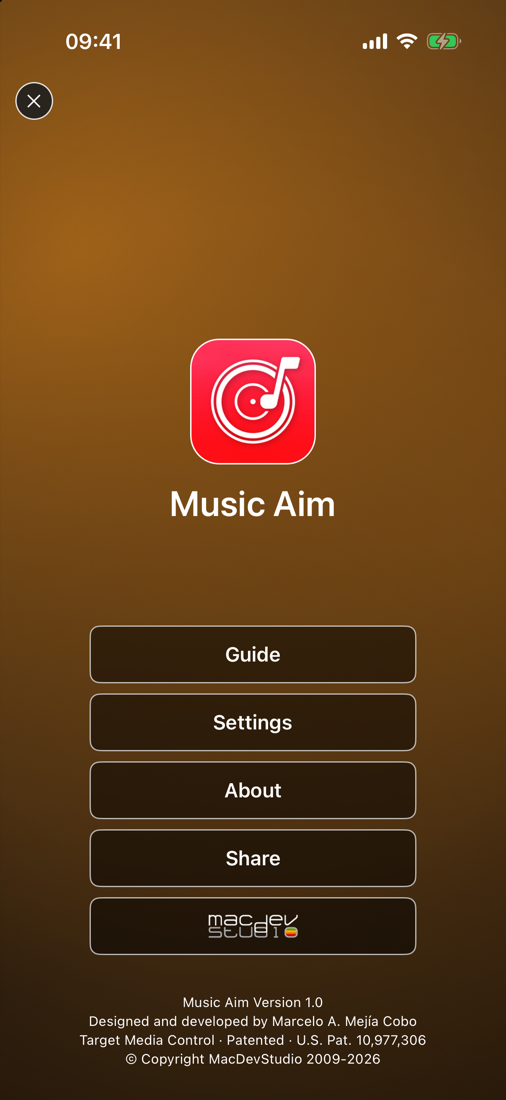
Every feature and where to find it is in the guide, the same one as inside the app.
At a glance
Price
One purchase. No subscription, no in-app purchases.
Devices
iPhone and iPad, including the foldable iPhone Duo; CarPlay; Apple Watch.
Needs
Songs in your music library: Apple Music songs added to it (no download needed), or songs you bought or synced. iOS 17 or later.
Your data
No account, no server, no analytics, no advertising, no tracking. See the privacy policy.
Helpful things to include: your device model, your iOS version, which target you had chosen, and what you were doing when the
problem appeared. There are no accounts and no server, so a description is usually all we have to go on.
"No music yet": Music Aim plays the songs in your music library. In the Music app, add songs, albums or playlists to your library — with Apple Music they don't need to be downloaded — or use music you bought or synced from a computer. Songs only streamed (radio, Listen Now) and never added are not in the library.
Songs don't play: songs that are not downloaded stream, so they need a connection, and Apple Music songs need an active subscription. Downloaded songs play offline.
Nothing plays, or the targets do nothing: allow access to your music library when asked (Settings app > Music Aim > Media & Apple Music), and start any song.
A target gave me only this song: the target found nothing else in your library that matches on that property (one song by the artist, one song in the genre). Pick a wider target, such as All songs.
The playing song is not in my library: it still plays, and the targets still work on its artist, album and genre, but the counts say "Only this song" where your library has nothing to match.
My shuffle or repeat changed: they should not. A target changes what plays next, never shuffle or repeat; set them on the player, in Now Playing or in the car.
The widgets or the Lock Screen lag behind the Music app: the Music app plays, and Music Aim is paused while it is off screen and catches up at the next tap. That is by design: the music never stops when Music Aim closes or a call comes in.
The Live Activity went away: it ends when nothing is playing. Start a song or target something and it comes back.
The captions are gone: Settings > Help labels puts them back; on the phone they slide in with a sideways swipe of the player.
I want the old look back: Settings > Appearance > Transparency 50 %, Dark Rounded, Icon, Red.
The watch says "iPhone not reachable": the phone must be in range and awake; the Music Aim app itself does not need to be open.
Not sure what a button does? Swipe the player sideways for the captions. The whole app is in the guide, also inside the app: https://macdevstudio.com/musicaim/guide/
Privacy Policy
Last updated: 8 October 2026 — Music Aim for iPhone, iPad, CarPlay and Apple Watch.
Music Aim collects no data whatsoever. There are no accounts, no server,
no analytics, no advertising and no tracking. MacDevStudio receives nothing from the app.
What stays on your device
Your music library's index (the artists, albums, genres, years and the other properties the targets go by), your Liked list, your settings, the order of your tiles, and the lyrics alignments you make. They are kept in the app's own storage on your device and never leave it.
What reaches the network, and only when you ask
Lyrics: opening a song's lyrics sends the song's title, artist, album and length to LRCLIB (lrclib.net) to find the words. Nothing else is sent.
Look the song up: the links under "Look the song up" open the song's name in the browser, on the site you chose.
Beyond your library: targeting on Apple Music asks Apple's music catalogue for the songs, under Apple's privacy policy.
A song's length: when nothing on the phone knows how long a song is, its title and artist go to Apple's music search to ask.
Permissions, and what each is used for
Music library: read to play your songs and to build the index the targets go by. That happens on the device.
Siri and Shortcuts: the targets you say are handled by the app on the device.
Apple Watch, CarPlay, widgets and the Live Activity: they talk to the app on your phone only.
Everything else
No accounts of our own, no advertising, no analytics, no tracking, and no in-app purchases.
Because nothing is collected, nothing is collected from children.
Deleting the app deletes everything it stored. Your music library is Apple's and stays as it was.
If this policy ever changes, the change will be described here before an updated app is released.